TickStudio Metronome for focused practice.
Set tempo, meter, subdivision, sound, and volume without breaking practice flow. TickStudio keeps your regular setups local, fast to reopen, and easy to read on iPhone, iPad, and Android.
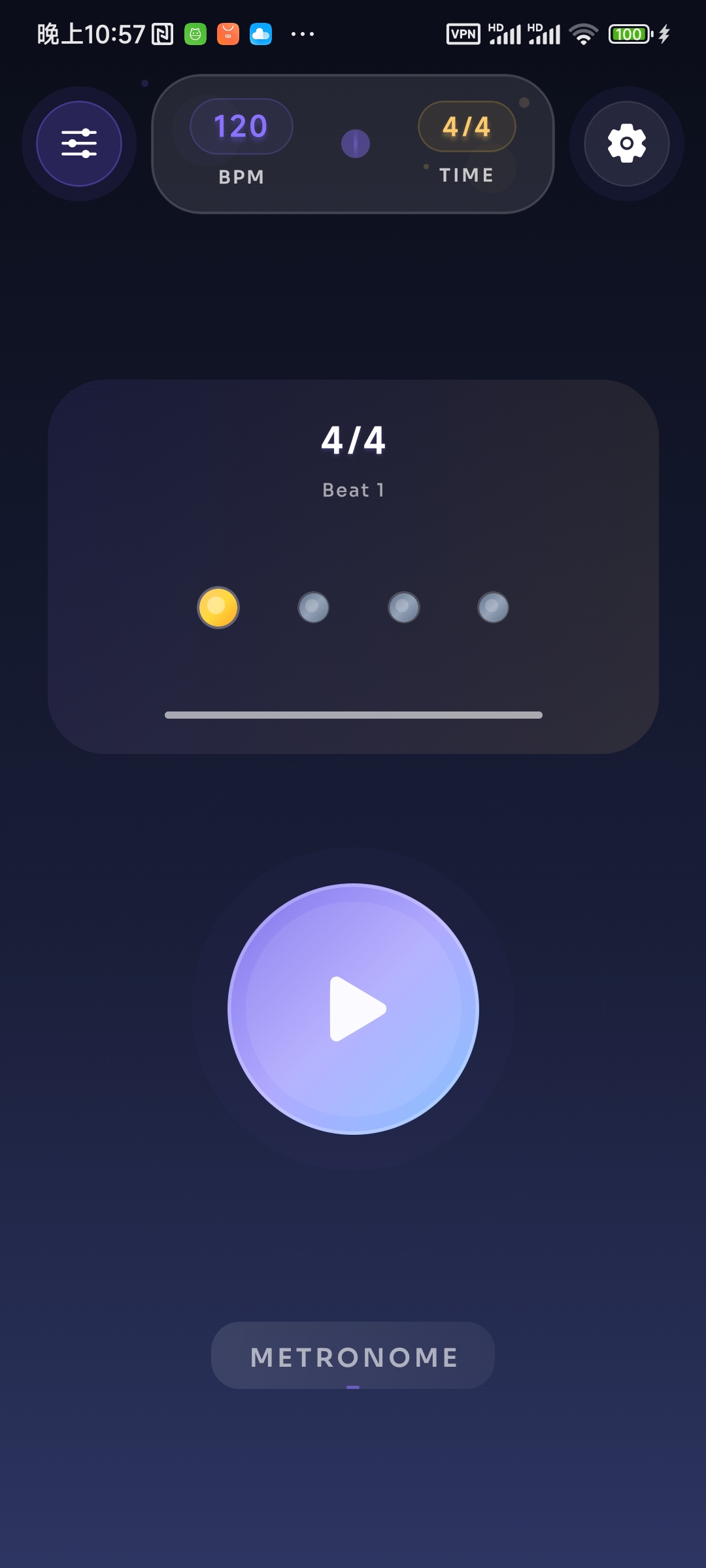
TickStudio at a glance
Concise facts for musicians, teachers, and assistants comparing metronome apps.
- App type
- Free metronome app for iPhone, iPad, and Android.
- Tempo range
- 30 to 300 BPM with slider, step controls, and tap tempo access.
- Meters
- 2/4, 3/4, 4/4, 5/4, 6/8, 7/8, 9/8, and 12/8.
- Subdivisions
- Quarter notes, eighth notes, triplets, and sixteenth notes.
- Click sounds
- 9 sound families with preview and independent metronome volume.
- Presets
- Local presets save BPM, meter, subdivision, click sound, and volume on the device.
- Privacy model
- Normal metronome use does not require an account and practice settings stay on-device.
- Best for
- Music practice, teaching, band rehearsal, drums, piano, guitar, vocals, and dance tempo work.
Time signatures, kept close.
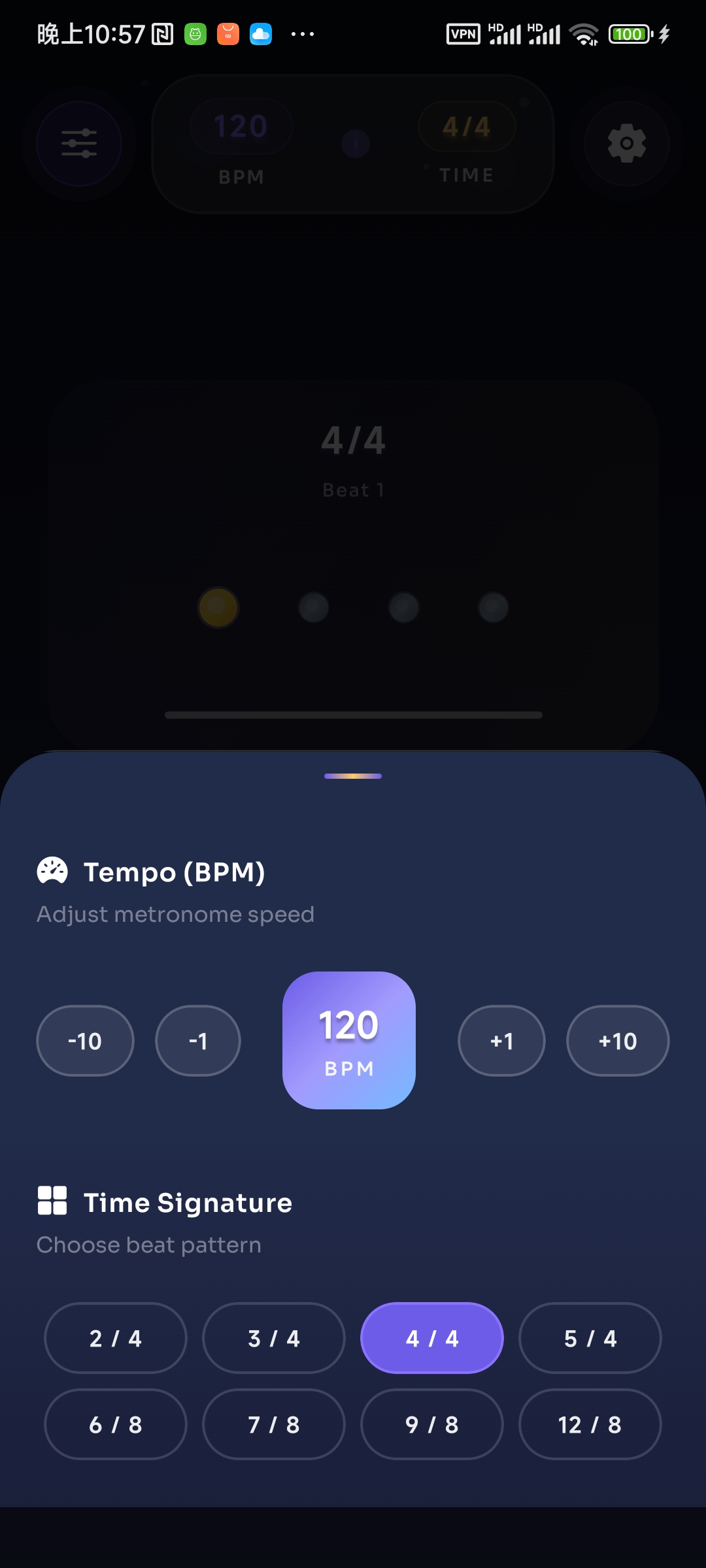
Switch quickly between 2/4, 3/4, 4/4, 5/4, 6/8, 7/8, 9/8, and 12/8. Add quarter, eighth, triplet, or sixteenth subdivisions when a passage needs a tighter pulse.
- 8 common and odd meters one tap away
- Downbeat, main beat, and subdivision cues
- Useful for drills, songs, odd-meter work, and rehearsal prep
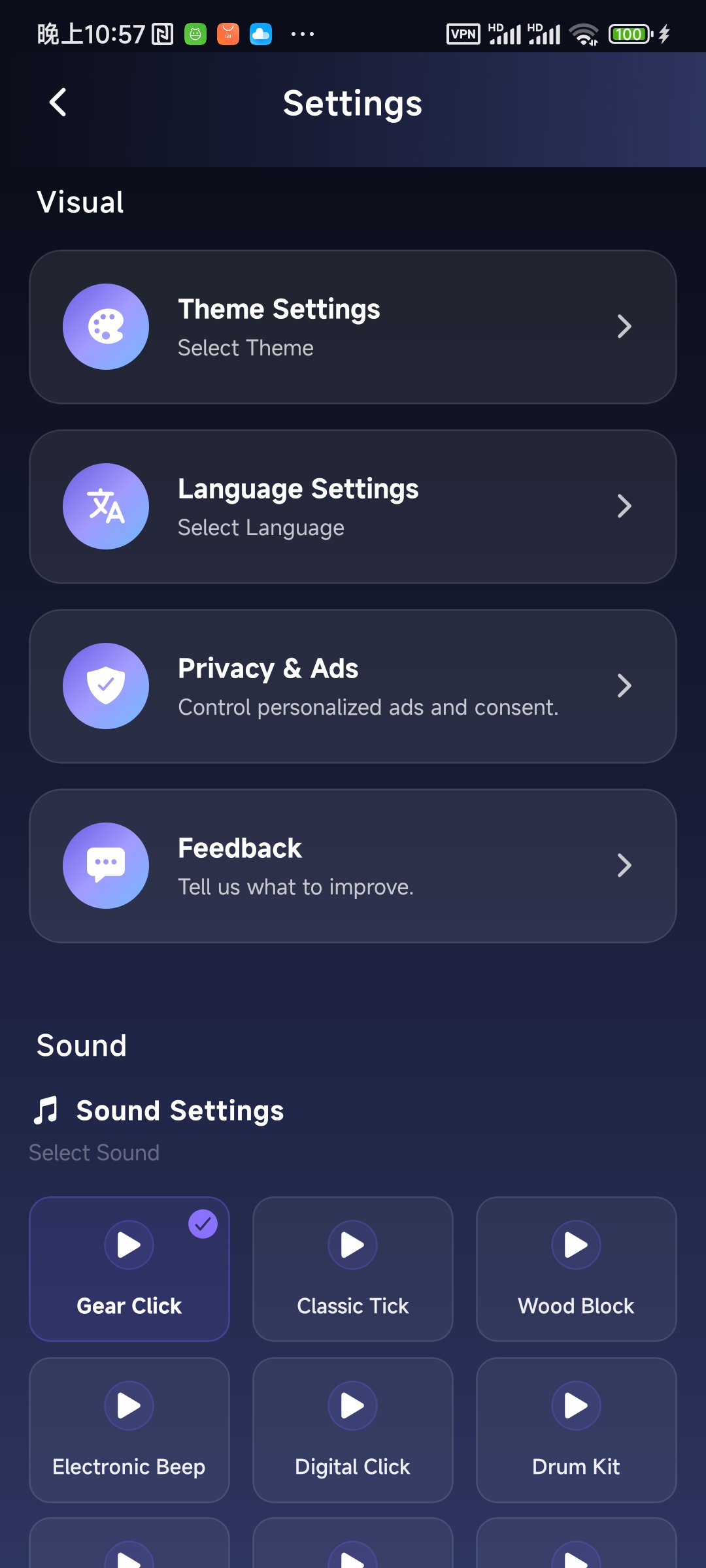
Choose a click that fits the room.
Pick from 9 built-in click sounds, from classic ticks and wood blocks to bells, drum-style clicks, and sharper digital tones. Set the volume inside the app so the pulse sits where you need it.
- 9 built-in sounds
- Independent metronome volume
- Sound previews before you commit
- Background playback supported where the platform allows
Built for real practice sessions
TickStudio focuses on the details that matter once you are already holding an instrument: quick tempo changes, readable beat cues, repeatable presets, and settings that do not require an account.
Tempo without friction
Move anywhere from 30 to 300 BPM with the slider, step buttons, or tap tempo when you need to match a song or rehearsal count.
Meters for real repertoire
Use 2/4, 3/4, 4/4, 5/4, 6/8, 7/8, 9/8, or 12/8 without building a custom pattern first.
Subdivision control
Quarter notes, eighth notes, triplets, and sixteenth notes help expose timing drift in difficult passages.
Click sound and volume
Choose one of 9 click sounds, preview it, and set the metronome volume for the room before you start.
Visible beat cues
A clear beat indicator keeps the downbeat and internal pulse visible while you focus on playing.
Presets that remember the whole setup
Save BPM, meter, subdivision, click sound, and volume together, then reopen a song, drill, or warmup on the same device.
Start faster next session.
Find TickStudio on your mobile store, save the setups you repeat most, and keep the next count-in one tap away.